Pitchee iOS
One recording. More to explore.
On iPhone, watch live pitch, read the spectrum, record your voice, review the analysis, and export it as a report.
Download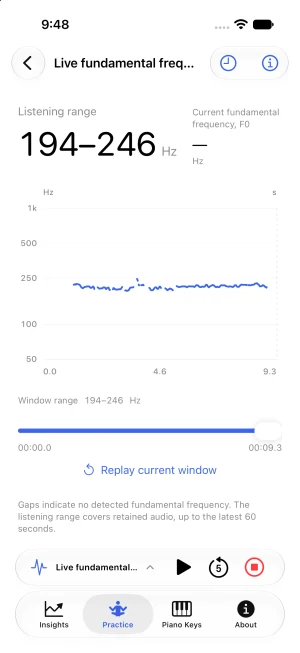
Watch your pitch as you speak
With monitoring on, every sound you make is drawn as a live pitch trace. The practice page keeps the latest 60 seconds of audio, so you can replay the current window against the trace at any time — too high, too low, unsteady: you see it as it happens, in time to adjust.
Hear the target note first
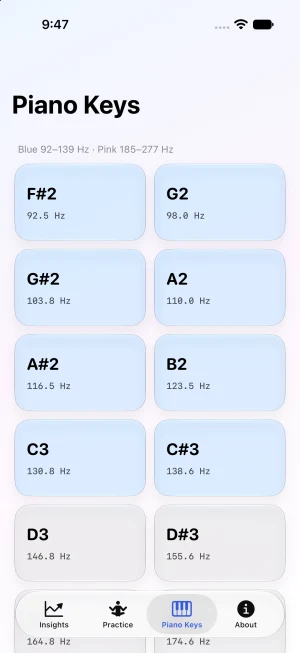
Piano Keys is a page of its own: every key is a note with its frequency, colored by range — blue for the low range (92–139 Hz), pink for the high range (185–277 Hz). Tap any key to hear that note on its own, so you have a reference in mind before you start.
See the detail in your voice
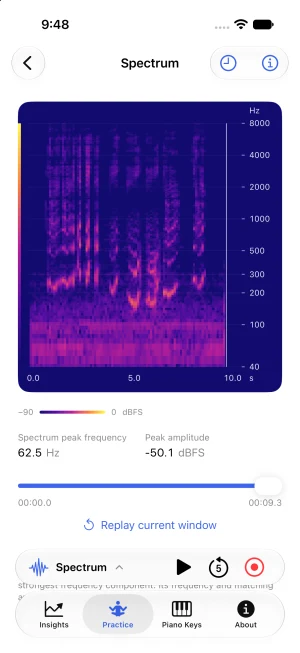
The spectrum lays out how the strength of each frequency changes over time, all in one view. Read it together with the pitch trace, and the differences between one take and the next become something you can point to.
Record, then review
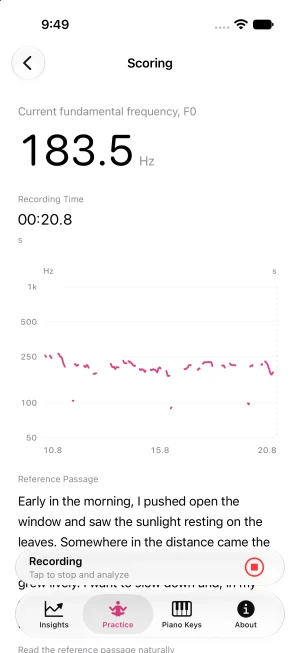
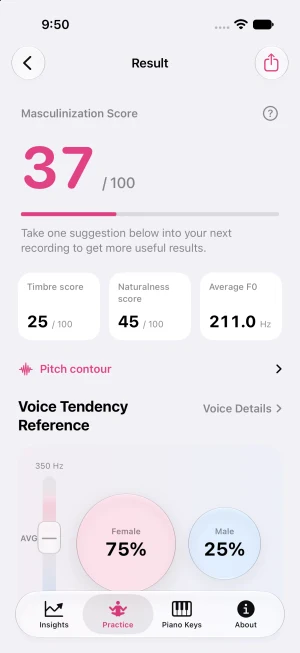
Read the reference passage naturally and record it; Pitchee then scores the take — a feminization or masculinization score, timbre score, naturalness and average F0, with a voice tendency reference. Treat the scores as a reference: they turn a whole take into a few numbers you can compare with your last session. The results page also leaves one suggestion for your next recording — and in the end, if it sounds right to your ears, it is right.
See the session as a whole
The pitch contour draws a whole session's rises and falls as one line. Play the recording back against it and you can tell at a glance which lines held steady and which drifted — and where to pick up next time.
Keep the session in a report
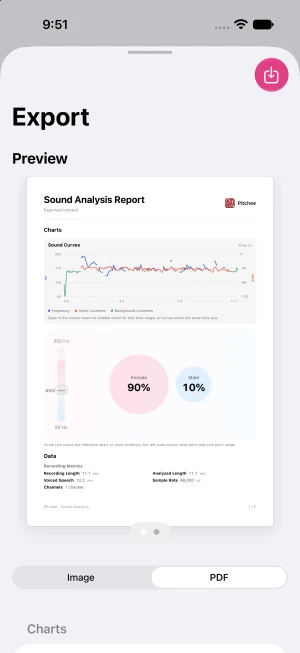
Export the analysis as an image or a PDF: one report page with the sound curves (frequency and loudness), the tendency reference and the recording's data — easy to keep for yourself or share with someone guiding your practice.
Privacy
Voice analysis runs entirely on your device. Recordings are never uploaded, and your practice history lives only on this iPhone.
Privacy policyRequirements & download
Requires iOS 17.0 or later. Compatible with iPhone and iPad.